Getting found on Google
Why isn't my business showing up on Google?
In this guide
- There are three different ways to be "not on Google"
- Check 1: does Google know your website exists?
- Check 2: is something telling Google to stay away?
- Check 3: set up Google Search Console
- Check 4: you're on Google, but only for your own name
- Why you can see yourself and your customers can't
- Check 5: are you in the map results?
- What you can fix today, for free
- When it's time to get help
You type your business name into Google and nothing comes up. Or a directory listing comes up, or a competitor, but not you.
It's a horrible feeling, especially if you've paid for a website.
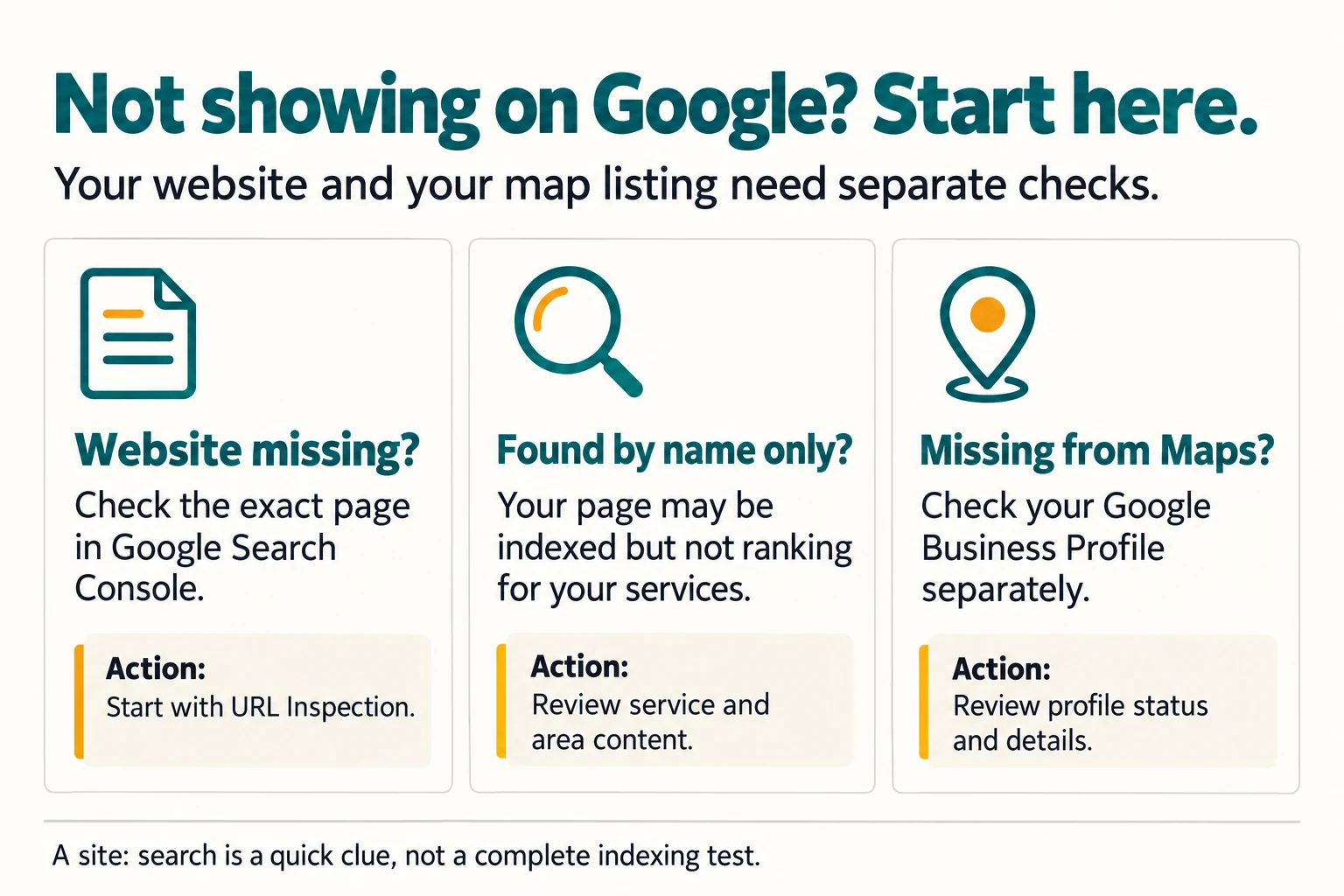
The good news is that "not showing on Google" is almost always one of three different problems, and each has its own fix. The mistake most people make is trying to fix all three at once, or fixing the wrong one.
So before we do anything, let's work out which problem you have.
Quick answer: Search for
site:yourdomain.co.uk. If nothing appears, Google hasn't indexed your website, so start with Google Search Console. If your site appears for your name but not for searches like "plumber in Barry", it's a ranking problem, not an indexing one. If you're missing from the map results, that's your Google Business Profile, which is separate from your website.
Here's what we'll answer along the way:
- Is Google ignoring my site, or just not ranking it?
- Why can I find myself on my phone but my customers can't?
- What can I fix today, for free?
There are three different ways to be "not on Google"
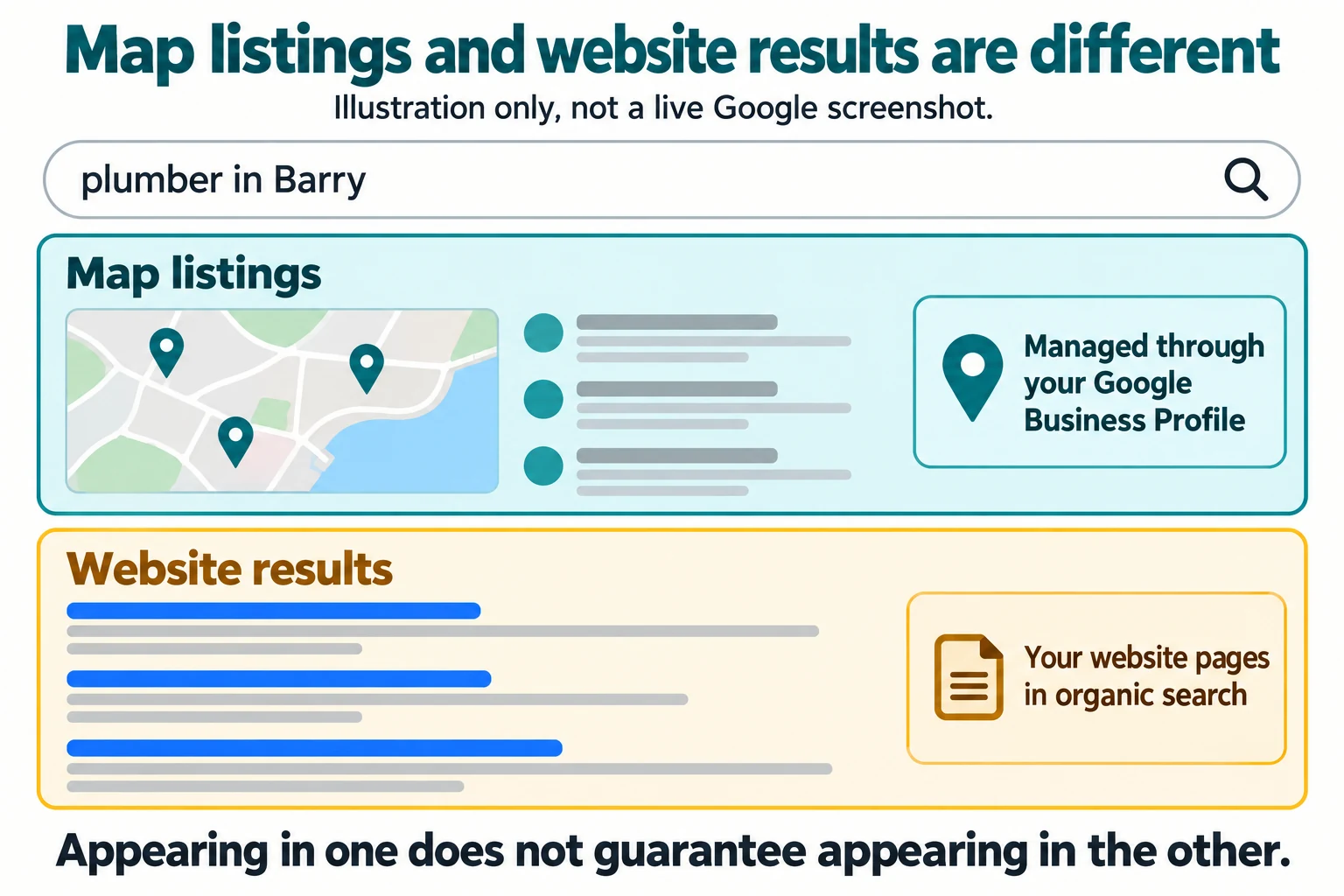
Google shows local businesses in two main places:
- The map results. The box with a map and three or so businesses, usually near the top for local searches. This comes from Google Business Profiles.
- The ordinary results. The list of website links underneath.
That gives you three possible problems:
| Problem | What it looks like | Where the fix is |
|---|---|---|
| Not indexed | Your website doesn't appear even when you search its exact name or site: address |
Your website and Google Search Console |
| Indexed but not ranking | Your site appears for your business name, but not for what you do and where | Your website's content and Google Business Profile |
| Missing from the map | You're not in the map box at all, even nearby | Your Google Business Profile |
Spend two minutes working out which row you're in. Everything below is in that order.
Check 1: does Google know your website exists?
Open Google and search for:
site:yourbusiness.co.uk
Use your real domain, with no spaces after the colon. Google's own SEO starter guide suggests exactly this check.
If you see pages from your site, Google has indexed them. Skip to check 4.
If you see nothing, Google either hasn't found your site or is being told not to include it. Carry on with checks 2 and 3.
Check 2: is something telling Google to stay away?
This sounds unlikely, but it's surprisingly common, especially with sites that were built on a test address and then moved.
Two settings can tell Google not to include a page:
- A "noindex" tag in the page's code. Some website builders and WordPress have a setting called something like "Discourage search engines from indexing this site" or "Hide from search engines". It's often switched on while a site is being built and then forgotten.
- A robots.txt file that blocks search engines. You can see yours by visiting
yourbusiness.co.uk/robots.txt. If it containsDisallow: /underUser-agent: *, it's blocking everything.
If your site was built for you, ask the designer directly: "Is there a noindex tag or robots.txt rule blocking Google?" It's a quick question for them to answer.
Check 3: set up Google Search Console
Google Search Console is a free tool from Google that shows how Google sees your site. If you only do one thing from this guide, do this.
Once it's set up, you can:
- See whether your pages are indexed, and if not, why not.
- Submit a sitemap, which is a list of your pages, so Google can find them.
- Use the URL Inspection tool to check a single page and ask Google to index it.
Google's help page on URL Inspection is clear about the limits. Requesting indexing doesn't guarantee the page will appear, and there's a daily limit on requests. It also says indexing "typically takes only a day or so, but can take much longer in some cases."
So request it, then give it time. Don't request the same page every day.
The first aha: if your site is brand new and has no links pointing to it from anywhere, Google may simply not have found it yet. Google mainly discovers pages by following links from pages it already knows. A link from your Google Business Profile, your Facebook page and any local directories gives Google a path to follow.
Check 4: you're on Google, but only for your own name
This is the most common situation, and it's where most frustration comes from.
You search "Smith Plumbing Barry" and you're there. You search "plumber Barry" and you're nowhere.
That isn't a fault. It means Google knows you exist, but doesn't yet see you as one of the best answers for that broader search. Those are very different problems.
Ask yourself honestly:
- Does your website actually say what you do and where? A home page that says "Quality service you can trust" doesn't tell Google you're a plumber in Barry. A heading that says "Plumber and heating engineer in Barry and the Vale of Glamorgan" does.
- Does each main service have its own page? If boiler repairs, bathroom fitting and emergency callouts all share one line on one page, there's very little for Google to match.
- Is your Google Business Profile complete? More on that below.
- How long has the site been live? New sites take time. Google's starter guide says some changes take effect in a few hours and others take several months.
Why you can see yourself and your customers can't
Here's one of the questions from the start.
Google's results aren't the same for everyone. Where the searcher is makes a big difference for local searches, and their own search activity can play a part too. If you search for your own business often, from your own premises, you may see yourself higher than a customer five miles away would.
To get a fairer view:
- Open a private or incognito browser window.
- Search from your phone with mobile data rather than your home Wi-Fi.
- Ask a friend in a nearby town to search and send you a screenshot.
It's not a perfect test, but it's closer to what a stranger sees.
Check 5: are you in the map results?
The map box is driven by your Google Business Profile, not your website. You can have a perfectly indexed website and still be missing from the map, or the other way round.
Search for your business name on Google Maps. If you don't appear:
- You may not have a profile yet. You can create one free at Google Business Profile.
- Your profile may not be verified yet. Until it is, it may not show up publicly.
- Your profile may have been suspended, often because the business name includes extra keywords or the address doesn't follow the rules.
Google's guidelines for Business Profiles say your name should match the name you use in the real world, without extra keywords, phone numbers or taglines. If you work from home and visit customers, Google says you should hide your address and set a service area instead.
If you're in the map results for your name but not for "electrician near me" style searches, Google's help page on local ranking says three things matter: relevance, distance and prominence. Distance is mostly out of your control. Relevance and prominence aren't. A complete profile, accurate categories and genuine reviews all help.
What you can fix today, for free
Let's close the last loop. Here's what's free and worth doing this week, in order:
- Run the
site:search and note which of the three problems you have. - Check your robots.txt and ask your designer about noindex settings.
- Set up Google Search Console and submit your sitemap.
- Make sure your home page says plainly what you do and where you work.
- Create or claim your Google Business Profile and fill in every section.
- Link to your website from your profile, your social pages and any directory listings.
None of this needs money. Most of it needs an hour and a cup of tea.
When it's time to get help
If you've done all of that, waited a few weeks, and you're still invisible for the searches that matter, the problem is probably the site itself. It might not say enough about what you do, it might be slow, or it might be built in a way Google struggles to read.
That's when a second opinion is worth having, and it doesn't need to cost anything to start with.
Common questions
How do I check if my website is on Google?
Search Google for site: followed by your domain, for example site:yourbusiness.co.uk. If pages from your site appear, Google has indexed them. If nothing appears, Google either hasn't found the site yet or something is stopping it from being indexed.
How long does it take for a new website to show on Google?
There's no fixed time. Google says some changes take effect in a few hours and others can take several months. Setting up Google Search Console and submitting your sitemap helps Google find the pages, but it doesn't guarantee when or where they appear.
Why does my business show on Google Maps but not in normal search results?
Your Google Business Profile and your website are separate things. The profile appears in Maps and the local results box; your website appears in the ordinary results underneath. One can be working while the other isn't, so check them separately.